

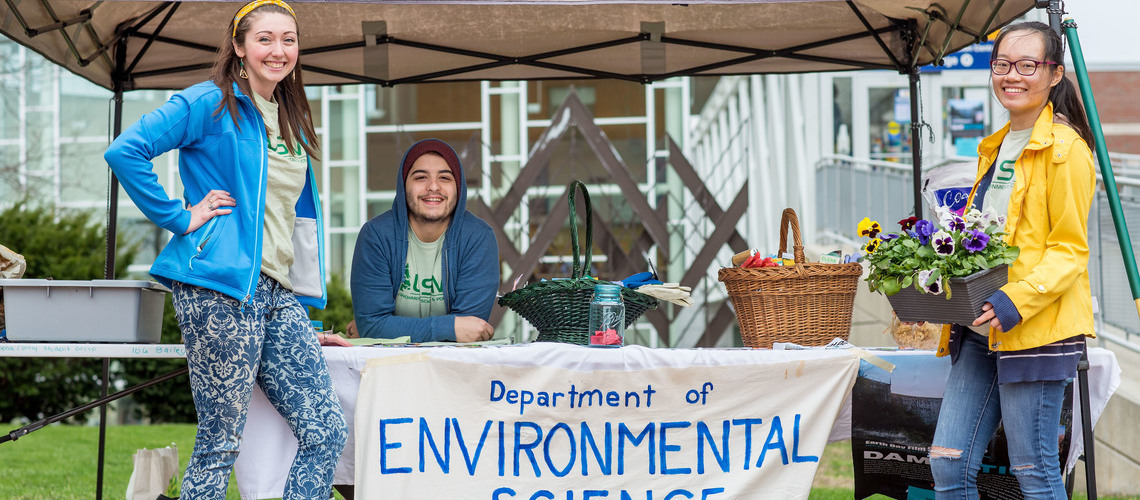
Environmental science student group

If you have an idea that would bring our community together, we encourage you to plan your gathering during the Community Hour time block Monday through Thursday from 12:30-1:30 p.m.

Some example ideas for Community Hour events include…

  • Faculty Meet & Greets
  • Student Research Showcases
  • Book Club Gatherings
  • Alumni Panels
  • Community Service Projects
  • Trivia Competitions
  • Office and/or Department Open Houses
  • Craft Activities
  • Resume Workshops

Step by Step Guide to Planning & Hosting a Community Hour Event:

While some Community Hour ideas might be pretty organic or baked into services already offered, we encourage you to get creative and plan events open to a broad community here at USM, whether they be a one-time event or you have hopes that they become a regular tradition.

Step 1: Brainstorm your event

Give yourself time to get creative and think about and plan the objective and purpose of your event. Read through the content below for tips on what to consider in your early event planning.

There are some “theme” weeks throughout the semester that may inspire ideas (although your event is not required to match the theme). We also recommend looking at the list of examples at the top of this page!

Consider the modality & format early in your early planning. Does the event have a specific start time or order, or is it a drop-in event? Is there an option to make this a hybrid opportunity, or a multi-campus opportunity?

Center accessibility & inclusion in your planning. Ensure attendees know how they can communicate accommodations, and proactively plan with a wide range of accessibility considerations (location, technology, respectful/inclusive language, etc.). This accessibility planning guide developed by the University of Maine Center for Community Inclusion and Disability Studies and Speaking Up for Us of Maine may be helpful to refer to throughout your planning process.

If your idea may overlap with other departments, clubs, or organizations, consider reaching out to collaborate before you start to lock in logistics!

Step 2: Lock in the logistics

Now that you have an idea, it’s time to formalize the details. Read through the content below for tips on how to transform your idea into a concrete event.

Set the date on a Monday through Thursday and ensure it overlaps with 12:30-1:30 p.m. to include the Community Hour block.

Can anyone join this event? Is there limited space or resources (first come, first serve)? Or is this event for one specific group of people? Events can be student-only or for a particular club, etc. Be sure to define who can attend, and communicate this when you begin marketing.

Or maybe — is your idea so good that it could occur on two campuses at once, or in a hybrid format? Consider your reach and plan whose help you need to make it happen (IT, additional staff, etc.).

Work with USM Conference Services to identify bookable spaces on USM campuses and submit a booking request using the Internal Event Inquiry Request form.

  • Once your booking is confirmed, consider the layout of your event and if the space has all the furniture needed. Depending on your space, you may need to place a Facilities Work Order (207-780-4160; usmfixit@maine.edu) to either request additional furniture or a specific layout.
  • Similarly, consider the tech needed for your event and the resources in the location. Depending on your space & experience, you may need to place an IT Media Services request (usm-mediaservices-group@maine.edu; 207-780-4280).  
  • Not sure about a space? Some popular locations include:
    • Lower Brooks (Gorham) has several spaces including an open area, a small stage, couch areas, and recreation gaming spaces. This space is not booked by Conference Services, please instead email Kelly Maguire at kelly.e.maguire@maine.edu for availability. 
    • Outdoor gatherings abound using Hodgdon Field (Gorham) and the pick up basketball and volleyball courts outside of Upton-Hastings (Gorham)
    • The Dubyak Center for Digital Science and Innovation (Portland) in the Science Building for creative innovation brainstorms
    • Walk-by tabling on the first floor of McGoldrick Center for Career & Student Success (Portland)
    • Glickman Library Study Rooms (Portland) for small group projects

Invite other staff or students to join you in planning your event, or simply to help host the event the day of. For anyone providing support the day of, be sure to brief them thoroughly ahead of time and give them ownership over tasks. 

Identify the supplies needed for your event. Consider…

  • Supplies/resources your office already has!
  • Offices or student groups you could partner with and/or borrow from. We highly encourage collaboration to provide greater resource availability for organizers.
  • Budget needed to acquire remaining supplies. The university does not have a dedicated budget for Community Hour programming, so this should come from the host department(s), club(s), or organization(s). If you will be purchasing additional supplies, identify a plan for shopping (ex: online through Marketplace, in-person at a store, etc.).
  • If you are a staff or faculty member planning an event, familiarize yourself with important procurement resources & procedures including:
  • If you are a student organization planning an event, familiarize yourself with Student Government Association and Board of Student Organization purchasing processes. Contact your student organization’s treasurer for support, or Student Government Business Office Operations Manager, Latré Sibi Lawson Owanda Field (latre.lawson@maine.edu).

Step 3: Promote your event

Now that you have your logistics locked in, it’s time to start spreading the word! Read the tips below for ideas on how to market your event, including design tools, important digital accessibility requirements, and how to post to USM event calendars.

Get your graphic design skills going and select a platform that works for you. 

  • USM staff and faculty are encouraged to use Adobe Express and the suite of templates that you can design in using our brand standards.
  • Students also have access to the Adobe Creative Suite as a USM student, but if you don’t have the skills to use those programs, Canva is a fairly user-friendly platform with templates and a free version.

Show off your graphic design skills and share your flyer with the campus community!

  • Create a Campus Groups event. Review the Campus Groups Officer Guide for additional instructions. 
  • USM staff and faculty should always also post public-facing events to the USM Calendar of Events
  • To hang physical flyers, review the posting policy guidelines. Make sure to get your flyer stamped and hang them in designated locations!
  • If you wish to share this flyer version digitally, including via email or social media, you must follow the digital accessibility guidelines. Keep in mind that embedded text in a jpeg or png is not accessible, and PDFs require additional steps to be made accessible. Best practice is to avoid embedded text as much as possible, but if an image with embedded text must be used, all information should be available either directly in the body of your email, caption of your social media post, and/or through an additional link.
    • Post on your department’s social media accounts. Review the Social Media Administrator Toolkit from the Office of Marketing & Strategic Communication if you wish to set up a new social media account for this purpose.

Step 4: Get ready for the day of your event

It’s almost time for all your planning to come to fruition, so make sure you think through the final details. Read below for some tips to help you feel confident for the day of your event and minimize last-minute scrambling.

You’ve thought about the event itself, but don’t forget about the before and after! Make sure you have enough time and staffing support for setting up and taking down your event.

Make a final supply list to ensure you have everything you need ready, and have a back-up plan if you are still missing items. If you are having non-catered food at your event, make sure you have a plan for picking it up!

To help evaluate the Community Hour, it’s important to keep track of participation. We strongly encourage printing your event’s Campus Groups Attendance Check-In QR code and have attendees scan the code on arrival.

Consider if and how you want to measure the success of your event and/or collect feedback. The Community Hour Coordinating Committee is also collecting feedback more formally about the overall Community Hour experience. For more information, please visit our FAQs.

Step 5: Host your event

Have fun! Enjoy your event, take pictures and post about it on your social media channel, and spread the word about the Community Hour for on-going opportunities.

After your event, consider writing down notes on what went well, what could be improved, and anything else you learned from the experience. Share this with colleagues and collaborators to continue making your events better and better!