

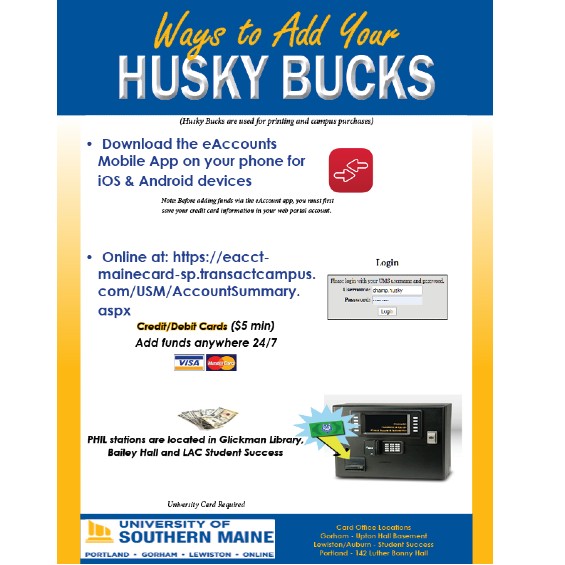
Before adding funds through your eAccounts mobile app, your credit/debit card information must be saved in your eAccounts web portal profile under saved payment methods.

Husky Bucks can be added Online (Minimum $5.00)
- Before adding Husky Bucks you must have a printed USM Card
- Husky Bucks are required for on-campus printing
- Use Husky Bucks at the University Store
- Save Money on food purchases on campus – no tax when using Husky Bucks for food at kiosks and cafeterias
- Family members are able to add to your Husky Buck account as well (go to the eAccounts web portal and click on “Make a guest deposit“, you will be asked to enter the last name of the student as well as the students ID number (it is a 7 digit number), then press “Contribute”).
Your eAccounts portal may be launched from the mycampus.maine.edu launch pad

Use your MaineStreet username and password to log into your eAccounts.
Confirmation of a Deposit (Web portal or Mobile App)
- Once you select “MAKE DEPOSIT” the next window will be “Receipt for Account Deposit” and tell you that your deposit was sucessful.
- You will also receive a Deposit Notification from “no-reply@transactcampus.com” stating the Payment Method, Transaction Reference and the Deposit Amount
- If you did not receive this email, your deposit was not completed and you will see pending charges on your bank account, but not charged. These charges will drop off after a few days and return the payment back to your account.
Husky Bucks can be added on your mobile device (Minimum $5.00)
- Before adding funds through your eAccounts mobile app, your credit/debit card
information must be saved in your eAccounts web portal profile under
saved payment methods. American Express credit cards are not accepted. - Go to the Apple App or Google Play Store and download the eAccounts mobile app.
Husky Bucks can be added at Phil Stations (Minimum $1.00 Cash)
- You must have a USM Card to add Husky Bucks
- Tap your card, select your option and insert cash to add funds to your Husky Bucks
- Locations for these machines are below:
PHIL STATION LOCATIONS: Gorham map-Bailey Hall front entrance, Lewiston-Auburn map-Student Success Office hallway, Portland map-1st floor Glickman Library
*You must make at least one purchase or a deposit with your Husky Bucks account per year, to be in accordance with Maine State Law, or the funds will be sent to the State of Maine Unclaimed Property. We will send out notifications before any funds are removed and sent to the State. To check if you have any funds in the Maine Unclaimed Property click HERE.
Number 5 of the Terms and Conditions statement statement discusses “abandoned property” and what happens after 12 consecutive months of inactivity.